Understanding Wix: A Comprehensive Guide to Website Creation
- Parallax Project
- Jul 14
- 4 min read

Creating a website can feel overwhelming, especially if you don’t have coding skills or a background in design. Wix offers a solution that makes website building accessible to everyone. This guide explains what Wix is, how it works, and why it might be the right choice for your website project.
What Is Wix?
Wix is a cloud-based platform that allows users to create websites easily using drag-and-drop tools. It removes the need for coding knowledge by providing a visual editor where you can place elements like text, images, buttons, and videos exactly where you want them. Wix also offers a variety of templates and features to customize your site’s look and functionality.
The platform caters to a wide range of users, from small business owners and freelancers to bloggers and online stores. Whether you want a simple portfolio or a complex e-commerce site, Wix provides tools to build and manage your online presence.
How Wix Works
Wix operates on a user-friendly interface that guides you through the website creation process step-by-step. Here’s a breakdown of how it works:
Choose a Template
Wix offers hundreds of professionally designed templates across different categories such as business, photography, music, and more. These templates serve as a starting point and can be fully customized.
Customize Your Site
Using the drag-and-drop editor, you can add or remove elements, change colors, fonts, and layouts. You can also add interactive features like contact forms, booking systems, and social media buttons.
Add Functionality with Apps
Wix has an App Market where you can find additional tools to enhance your website. Examples include live chat, email marketing, event calendars, and online store features.
Publish and Manage
Once your site looks the way you want, you can publish it with a click. Wix handles hosting and domain management, so you don’t need to worry about technical details. You can update your site anytime through the Wix dashboard.
Benefits of Using Wix
Many people choose Wix because it simplifies website creation without sacrificing quality. Here are some key benefits:
No Coding Required
You don’t need to learn HTML, CSS, or JavaScript. The visual editor lets you build your site by dragging elements into place.
Flexible Design Options
Templates are fully customizable. You can change layouts, colors, fonts, and images to match your brand or style.
Built-in SEO Tools
Wix provides tools to help your site rank better in search engines. You can edit meta tags, create SEO-friendly URLs, and get tips to improve your content.
Mobile Optimization
Websites created with Wix automatically adjust to look good on smartphones and tablets.
Reliable Hosting and Security
Wix includes secure hosting and SSL certificates, which protect your site and visitors.
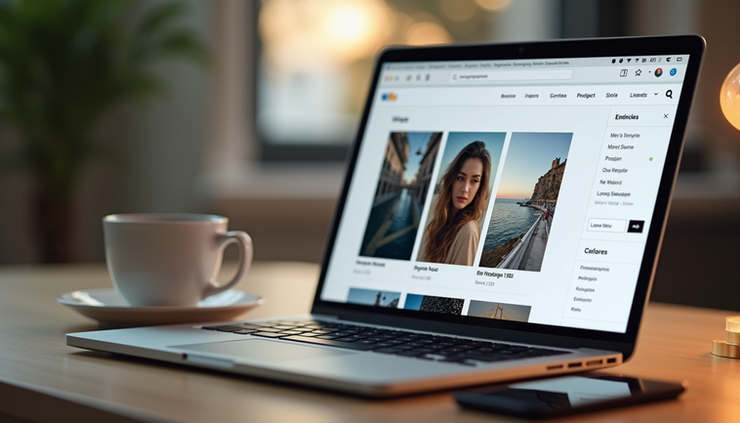
Real-Life Example: Building a Portfolio Site
Imagine you are a photographer who wants to showcase your work online. With Wix, you can:
Select a photography template designed to highlight images.
Upload your photos and organize them into galleries.
Add an “About Me” section with your biography and contact details.
Include a booking form so clients can schedule sessions.
Use Wix’s blog feature to share photography tips and stories.
This process can take a few hours instead of days or weeks, even if you have no technical background.
Who Should Use Wix?
Wix suits a variety of users, especially those who want control over their website without dealing with complex coding or hiring developers. It works well for:
Small business owners who need an online presence quickly.
Creatives like artists, photographers, and writers showcasing their work.
Freelancers who want to attract clients with a professional site.
Individuals starting blogs or personal websites.
Entrepreneurs launching online stores with integrated payment options.
If you want a simple, manageable way to build a website and update it regularly, Wix is a strong option.
Things to Consider Before Choosing Wix
While Wix offers many advantages, it’s important to understand some limitations:
Template Lock-in
Once you choose a template and start building, switching to a different template requires rebuilding your site.
Less Control for Advanced Users
Developers who want full control over code might find Wix restrictive compared to open-source platforms.
Pricing
Wix has a free plan with Wix-branded ads and limited features. To remove ads and connect a custom domain, you need a paid plan.
Loading Speed
Some users report slower loading times compared to custom-built websites, depending on the complexity of the site.
Getting Started with Wix
Starting your website with Wix is straightforward:
Sign Up for an Account
Visit Wix.com and create a free account.
Pick a Template or Use Wix ADI
You can choose a template or let Wix ADI (Artificial Design Intelligence) create a site for you based on your answers to a few questions.
Customize Your Site
Use the drag-and-drop editor to add your content and personalize the design.
Add Features
Explore the App Market to add tools like booking systems, chat, or e-commerce.
Publish Your Website
Connect your domain or use a free Wix subdomain and publish your site.
Maintain and Update
Regularly update your content and features through the Wix dashboard.
Comments